

[Updated January 2024]
I’m a proponent of building a modern, organization-specific, user-focused Governance site to communicate “all things governance” as it relates to Microsoft 365 and the services you’ve deployed within it. The site should evolve over time to align with your organization’s gradual Governance maturity.
A blogpost reader recently asked me for ideas on the type of content, links, and menu items you would put on such a site. Although there are a plethora of design ideas in the SharePoint LookBook site for what the site might look like, the content you place on the site is largely left up to you – this only makes sense. After all, it’s your tenant, your rules, your compliance and governance controls… it’s up to YOU to put that into words for end users to read and understand. This is what the blogpost reader was struggling with and looking for guidance on.
This post will answer this question with the intent being for an organization to “pick and choose” which parts are relevant to them. Every organization is on their own journey when it comes to Microsoft 365, has implemented different features, have their own company culture, and is operating under different regulations. Because of this, content on the site will vary widely from one organization to the next. Common sense and a tailored approach should be taken when building yours.
There are many types of governance. In this post, I’m focusing primarily on Governance, Risk, and Compliance (GRC) governance in Microsoft 365 and the knowledge you may want to share with end-users for them to be compliant in the workplace. However, the knowledge domain of Governance, Risk, and Compliance is more holistic and extends well beyond Microsoft 365. It is for this reason that you should include additional content on your governance site to address those aspects of compliance for your organization. Some ideas:
- information about the regulations and regulatory bodies for your organization
- attestation and certification processes
- where your authoritative records are stored (some may be in M365, some may be elsewhere)
- any archival bodies and their requirements (end-user perspective)
- etc. (you get the idea)
General Site Design Tips
- I recommend building this site using a Modern Communication site template. Reference the LookBook link shared above for some great examples of this
- It likely shouldn’t be a Hub on its own, however it’s a great idea to add it to an organization-wide Resource Hub site where you have other guidance and training resources for your employees across other sites joined to the Hub
- Assign site owners to keep the content up-to-date and recommend a periodic (annual, semi-annual) review of its content at a minimum
- Leverage official Microsoft documentation links where you can and only build organization-specific guidance where it’s specific and/or custom to your organization
- Don’t overbuild the site. Only include links to content that will be useful. Monitor analytics across the site to determine which links are being used and either remove the ones that aren’t or reframe how you’re presenting the ones that aren’t if you truly want end-users referencing them
Menu Item Ideas
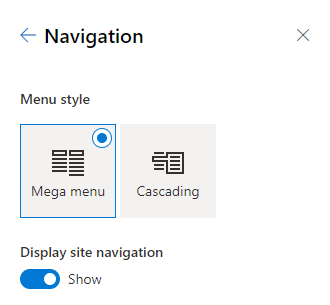
I also recommend the 3-level mega menu visual style for your site. It’s a great way to group a lot of links to your site’s content in a visually appealing way that will resonate with your site visitors.
I hesitate to be prescriptive about what you place on your menu; however, to answer the reader’s question, I’ve come up with an example based on some common touchpoints with Compliance and Governance I see in organizations I work with. With the mega menu layout, you require 3 levels so in this post I’ll share my top-level headings, sub-headings and detail links underneath. Please feel free to use my examples if they fit or, better yet, come up with your own!
My top-level headings are:
- I want to…
- Compliance in the workplace
- Training

Top level: I want to…
I love using this technique to lead site visitors to the most common tasks they’ll do when it comes to compliance and governance. If you’re wondering what those things are, a great place to start is by asking your organization’s service desk about the most common types of incidents/requests they receive.
Site Tasks… looking to add some governance around provisioning SharePoint sites and Microsoft Teams? Do you require end-users to fill out a form with some information about their site and get it approved before its provisioned? What do you want end-users to do when they’re done with their site and need to “close it down”?
Collaborating with Externals… if you allow confidential emails and documents to be shared externally, explain the secure and compliant way to do it. Also, it’s important for everyone to understand the granular controls you can place on a document when sharing it (e.g. block download, view/edit, etc.), particularly when sharing with external users.
Compliance Tasks… these tasks should align with the labels you’ve implemented in your environment: sensitivity labels and/or retention labels. Make sure you include how to do this across different Microsoft 365 locations (SharePoint, Exchange) and device forms (Online apps, Desktop apps, mobile).
Build Something… do you allow end-users to build their own Power Automate Flows? How about building a survey using Microsoft Forms to share with others inside and/or outside the organization? If so, include some guidelines on best practices, tips and tricks, ownership, etc. in this section.
Bringing it all together, here’s an example of what my “I want to…” menu looks like:

Top level: Compliance in the workplace
This one’s all about your corporate policies as they relate to compliance and the specific controls you’ve implemented across your environment.
Our Policies… it’s important to communicate policy to staff so they know the “rules of the road” when it comes to working in your environment. This could include regulatory, legal, as well as business policies.
Data Protection… this is end-user friendly MIP in menu-form. 🙂 Think about the touchpoints end-users have with protecting information and provide them the information they’ll need to be able to manage it appropriately. It should all start with your organization’s data classification scheme and what each one of the sensitivity labels mean.
Data Retention… over time, more responsibility has been placed on information workers in the modern workplace to understand the governance around information they’re working with, particularly when working with business records. This is a great place to share your organization’s retention schedule and requirements in clear, easy-to-understand terms (not “Records Manager speak”).
Data Security… this section could cover a wide array of content as my image shows. Clear guidance on managing permissions in SharePoint/Teams is a great place to start – an often forgotten step is removing access to sites/teams when their are role changes (until and unless RBAC measures are in place). Mismanagement of permissions can have downstream effects on numerous other features across Microsoft 365 so it’s important to get this right (Viva Topics and Microsoft Copilot are great examples of this).
Data Privacy… this one should focus on the privacy legislation(s) your organization must comply with. Privacy breaches are a risk and concern for any organization these days. Ensuring end-users understand what information is considered private and the proper handling controls for that information are critical pieces of knowledge preventing a breach.
Bringing it all together, here’s an example of what my “Compliance in the workplace” menu looks like:

Top level: Training
This section is about ensuring human resources across your organization with a unique compliance touchpoint have the training they need at their fingertips.
By Role… each of the roles in my image have a part to play in the compliance program in your organization. For example, Site/Team owners have an elevated level of responsibility for the operational lifecycle of the collaboration space they’re an owner of: controlling site membership, understanding the confidentiality of the site, auditing who has access to the site, revoking access as required, and ultimately knowing how/if they should close the site down when its business-use is complete.
Data Stewards, Records Managers, and Disposition Reviewers each have a responsibility in the quality, management, and disposition of an organization’s data assets. Guidance provided in these links will vary depending on the regulatory needs of your organization and how you have mapped those out to features and roles across your environment, including content outside of Microsoft 365.
By Technology… organize your implemented compliance features by technology – a great place to link to Microsoft’s Deployment Acceleration Guides.
Bringing it all together, here’s an example of what my “Training” menu looks like:

That’s all…
If you’re wanting to build out a governance site, I hope you found these examples helpful and that it sparked some ideas of your own! I’d love to hear what else you’d add to your site in the comments below!
Thanks for reading.
-JCK
Credit: Photo by Daniele Franchi on Unsplash
This is great stuff Joanne. However I’m always nervous about focusing too heavily on the M365 content and tools and not addressing the other governance and compliance business obligations.
As such, we have further content and tools in our GRC portal for industry regulations, certification management (we have three NHS specific annual certification processes to maintain, as well as a couple of general business ones). We then have a Risk Register, an Incident Log and an Action Plan.
Thanks Simon, you bring up an excellent point! The suggestions I provide are most definitely slanted towards M365; however, I agree it is vital and necessary to include other content as well.
I will add some commentary around non-M365 content to the post when I get the chance. (Still want to keep the site targeted to an end-user audience and leave it up to the blog post reader to add other relevant content just as you have suggested. Thank you for your suggestions, most helpful.
-Joanne
Always happy to compare notes!
I’m doing a session at ECS with Nikki Chapple if you are around.
I won’t be there unfortunately. Good luck with the session… Nikki is fantastic, what a great duo to deliver the session!
Hi Joanne,
I like the post a lot, my only suggestion would be to also have such site include a chapter on the lifecycle of content and how that is handled (perhaps partially automated with DLM, perhaps with manual cleanup procedures). Data pollution is one of the largest threats for compliance.
Hey Rob! Agreed! That’s where I was going with my “Document Circle of Life“ link under Data Retention. I just called it something different but I think our thoughts are in alignment on the content that would be in that. Thank you for your feedback, much appreciated!!